GtkOrphan
 |
Index |
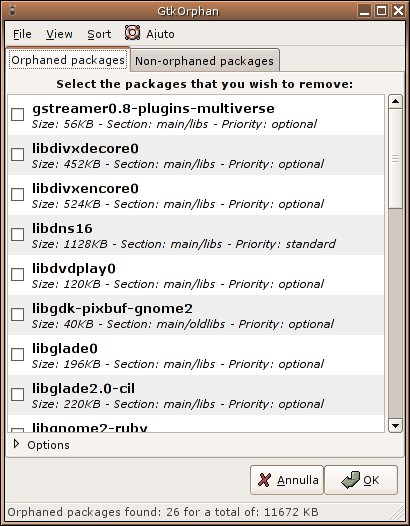
GtkOrphan (a Perl/Gtk2 application for debian systems) is a graphical tool which analyzes the status of your installations, looking for orphaned libraries. It implements a GUI front-end for deborphan, adding the package-removal capability.
Debian package
The program runs only on debian systems, so it is suggested to install the deb package. GtkOrphan is currently available in Debian and Ubuntu repositories. Users can just apt-get it.
Requirements
GtkOrphan dependencies are: gksu, perl, deborphan(>=1.7.28-2) libgtk2-perl (>=1.100-1), libglib-perl (>= 1.100-1), liblocale-gettext-perl, libgtk2-gladexml-perl
The version of deborphan is very important, as previous versions have a bug which interferes with GtkOrphan correct functioning.
Use of GtkOrphan is intuitive and reflects use of deborphan. The screenshots will show you a full example. GtkOrphan must be run with root privilegies.
At GtkOrphan's first run, you should initialize your system in order to keep track of needed packages, even if they are reported as orphaned.
In the main window, expand the "Options" section and check the "Show all orphan packages, not only those in the libs section" checkbox.
Note: with this option, GtkOrphan will report as "orphaned" all those installed packages that are not dependencies for any other. In this way, for instance, packages such as gparted, ubuntu-desktop, wine will be listed too, as they are "top-level" packages and no other package depends on them. Now you can traverse this list and right-click->hibernate each package you want to keep and that you don't want to be reported as orphaned anymore. The hibernation list will keep these files and will not show them anymore. You can access and modify the hibernation list as you want, from the View menu or from the right-click popup menu.
If you need more information, or if you simply need to contact me, my e-mail address is